Category: Running Old Games

Practical notes on getting decades-old PC games working on current hardware.

  • Running a period-accurate machine versus emulating one

    Running a period-accurate machine versus emulating one

    Two routes lead to running software from twenty-five years ago. Assemble hardware from the period, or emulate it on a current machine. Both work. They suit different purposes, and the choice is worth making deliberately rather than by default.

    The case for real hardware

    Period hardware gives behaviour that is correct by definition, because it is the thing being reproduced. Timing, audio hardware quirks, video output characteristics and input latency are all simply what they were.

    Audio is where this shows most clearly. Sound cards of the era had distinctive characteristics from their synthesis chips and analogue output stages. Emulation of these has improved enormously and remains an approximation of something that varied between individual cards and even individual units.

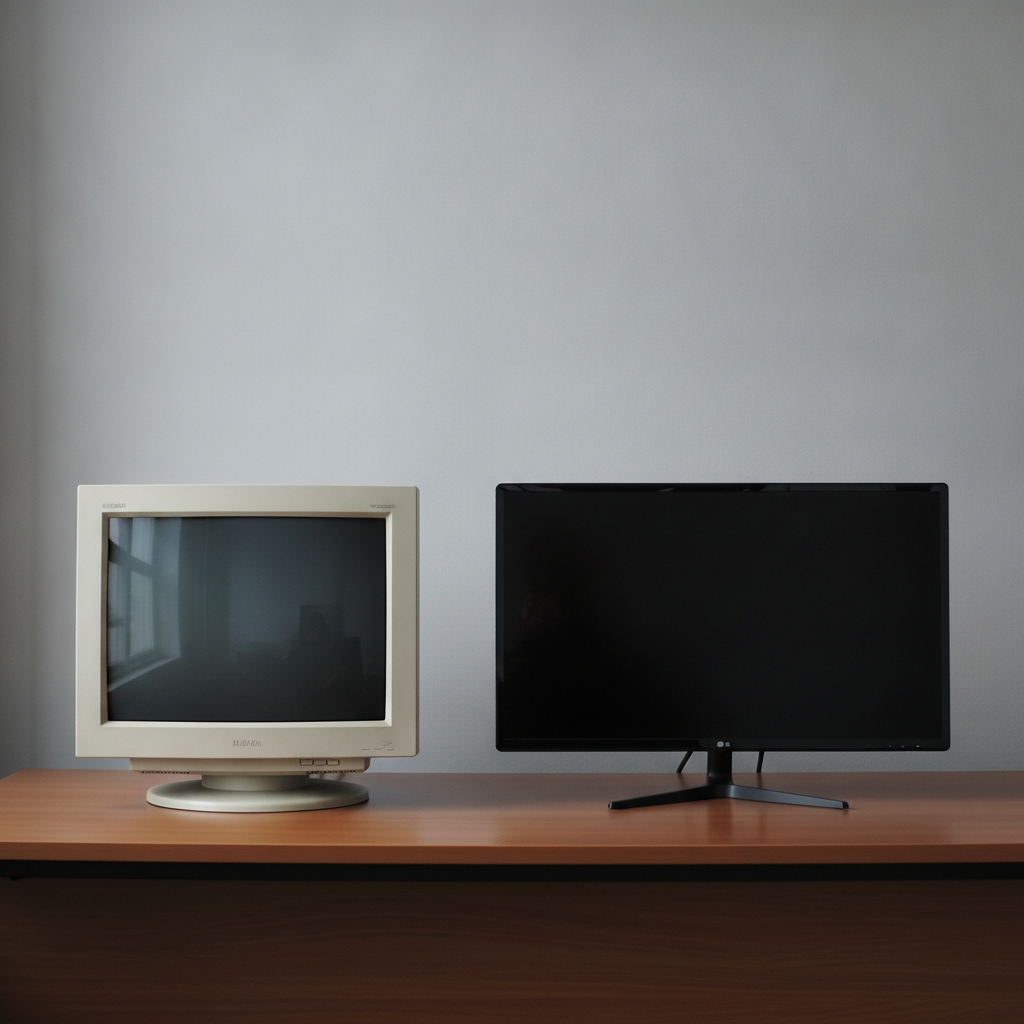
    Display output matters too. Games designed for cathode ray tubes assumed the way those displays handled scan lines and colour bleed, and some art depends on it in ways that look different on a sharp flat panel.

    The costs, which are not only financial

    • Components fail. Capacitors degrade, drives lose alignment, disks develop errors. Maintenance is ongoing, not one-off.
    • Getting data onto the machine is a project of its own, since interfaces have moved on.
    • Specific combinations of hardware still need the driver and configuration work the era demanded.
    • Space and power are real constraints that get underestimated at the planning stage.

    The maintenance point is the one most people underestimate. A working period machine is not a stable state but a process. Anyone whose actual goal is playing games rather than maintaining hardware should be honest about which activity they are signing up for, because it is largely the second.

    The case for emulation

    Emulation is available immediately, costs nothing, and has enormous practical advantages: save states, adjustable speed, straightforward file transfer, no maintenance and no failure of irreplaceable parts.

    It is also, for a great deal of software, accurate enough that the differences are undetectable in play. Mature emulators for well-documented systems have had decades of work and correct behaviour that was originally wrong.

    The remaining gaps are narrow and real. Analogue audio character, precise timing in edge cases, and anything depending on undocumented hardware behaviour are where approximations persist. For most purposes these do not matter. For verifying a specific claim about how something behaved, they might.

    A workable way to choose

    The question that resolves it is what you are actually trying to do.

    • Playing games for enjoyment: emulate. The convenience advantage is enormous and the fidelity gap is small.
    • Verifying a specific behaviour or timing claim: real hardware, or at minimum a second emulator to cross-check against.
    • Enjoying the hardware itself as an object: real hardware, and the maintenance is part of the appeal rather than a cost.
    • Archiving media: real hardware, since reading original disks and discs properly needs original drives.

    That last one is worth separating out. Reading a floppy or an unusual disc format correctly is a hardware job, and it is time-sensitive in a way the others are not. Media degrades, and drives capable of reading it are becoming scarcer. Anyone holding original media that has never been imaged has a task with a deadline, whatever they decide about playing the games.

    The middle path most people end up on

    In practice a lot of people run emulation for everyday use and keep one modest period machine for the things emulation does not cover, particularly reading media. This gets most of the benefit of both without the maintenance burden of a full period setup.

    It is also the arrangement that survives losing interest for six months, which no amount of enthusiasm makes unlikely.
  • DOS memory management, and why old games asked for so much of it

    Anyone running DOS games encounters the memory question quickly. A game demands a quantity of conventional memory that appears to be available and is not, or wants expanded memory when extended memory is present, or refuses to start on a machine with vastly more RAM than it needs.

    These are not arbitrary requirements. They come from a hardware constraint that shaped a decade of PC software design.

    The 640K boundary

    The original PC architecture could address one megabyte. The lower 640 kilobytes were allocated to programs. The remaining 384 kilobytes were reserved for hardware: video memory, adapter firmware, the system BIOS.

    The 640 kilobyte figure was not a mistake so much as a generous allocation that stopped being generous. Programs grew, the boundary did not move, and the entire subsequent history of DOS memory management is workarounds for a limit that could not be raised without breaking compatibility.

    Four kinds of memory, doing different jobs

    • Conventional memory: the first 640K, where DOS programs actually run. Always the scarce resource.
    • Upper memory: the 384K reserved region above it. Unused portions could host drivers, freeing conventional memory.
    • Expanded memory: additional memory accessed through a window mapped into the upper region, a page at a time.
    • Extended memory: memory above one megabyte, accessible in protected mode but not directly by ordinary DOS programs.

    Expanded and extended are the pair that cause the most confusion, and the names do not help. Expanded memory was a bank-switching scheme, originally implemented on add-in cards, that let a program see a small window onto a large pool. Extended memory was simply the memory beyond one megabyte on a capable processor, which required switching the processor’s mode to use.

    Later systems provided expanded memory by emulating it using extended memory, which is why a machine can offer either depending on how it is configured, and why a game that demands one may fail on a machine configured for the other.

    Why games wanted conventional memory specifically

    Game code and its most performance-critical data had to live in conventional memory to be reachable without paging or mode switching. Anything else meant overhead in the parts of the code that could least afford it.

    This is why loading a mouse driver, a sound driver and a CD-ROM driver could stop a game running. Each occupied conventional memory. Between them they might take a hundred kilobytes from the 640 available, and the game needed most of what remained.

    Hence the era’s characteristic ritual: boot configurations that loaded the minimum set of drivers for a particular game, with everything possible relocated into upper memory. People maintained several such configurations and chose between them at startup.

    What this means today

    Running these games now usually means an emulated DOS environment, which removes the hardware constraint but reproduces the software model. The 640K limit still applies inside the emulation, because the games depend on it existing.

    The practical difference is that resources are no longer genuinely scarce. Emulators can provide expanded and extended memory generously and load drivers into upper memory without the fiddly optimisation the original hardware demanded.

    • If a game reports insufficient memory despite plenty being configured, check which type it wants. It is usually asking for conventional memory specifically.
    • Load only the drivers a given game needs. A CD driver present for a game that does not use one is pure waste.
    • Where a game offers a choice of memory model at install time, the choice is frequently recorded in a configuration file and can be changed without reinstalling.

    The underlying skill has not changed much. Working out what a DOS game wants is mostly reading its documentation carefully and believing what it says, because these requirements were documented precisely at a time when getting them wrong meant the software did not run at all.

  • Source ports explained: what they change and what they must not

    Source ports explained: what they change and what they must not

    When the source code to a game engine becomes available under a licence that permits redistribution, source ports follow. Someone compiles it for a current operating system, fixes what no longer works, and publishes the result. For a number of significant games this is now the normal way to play them.

    What separates a good port from an awkward one is rarely technical skill. It is discipline about which category a given change falls into.

    The three kinds of change

    Nearly every modification to an old engine falls into one of three buckets, and conflating them is the source of most disagreements about ports.

    • Platform repair: making the code build and run correctly on hardware and operating systems it predates.
    • Capability extension: raising limits, adding resolutions, supporting modern input and audio devices.
    • Design change: altering how the game plays, looks or feels beyond what the original did.

    The first is uncontroversial and necessary. The second is usually welcome but occasionally has side effects. The third is where ports diverge, and where a port that is excellent for one purpose becomes wrong for another.

    Platform repair is subtler than it sounds

    Old engines are full of assumptions that were true and are no longer. Fixed word sizes, particular byte ordering, direct hardware access, timing derived from processor speed, memory layouts that a modern allocator will not reproduce.

    Timing is the recurring troublemaker. An engine that tied its update rate to a hardware timer or, worse, to a counted loop, behaves entirely differently on a fast machine. Fixing this properly means separating simulation rate from rendering rate, which is a real change to how the engine runs even though the intent is purely to restore original behaviour.

    This is where ports quietly diverge from each other. Two ports can both claim faithful behaviour and produce measurably different results, because reproducing original timing on different hardware requires choices, and reasonable people choose differently.

    Capability extension and its side effects

    Raising a limit sounds harmless. Frequently it is. Sometimes the limit was load-bearing.

    Games written against hard engine limits occasionally relied on the behaviour at the boundary. Content built when a limit existed may have been designed around what happened when it was approached. Removing the limit changes that content’s behaviour without touching the content.

    Higher resolutions carry a similar catch. Widening the field of view shows more of the world, which can reveal things the original never intended to be visible from a given position, and can alter difficulty in games where limited sightlines were part of the design.

    None of this argues against extension. It argues for making it optional and documenting what it affects.

    Why faithful modes matter

    The best ports offer a mode that reproduces original behaviour as closely as the platform allows, and make it clearly labelled rather than buried. This serves two audiences that would otherwise be in permanent conflict.

    Someone playing for enjoyment usually wants the modern conveniences: proper resolutions, sensible input handling, no crashes. Someone studying the game, verifying a claim about it, or reproducing a documented behaviour needs the original, quirks included.

    A port that only offers the improved version is fine as a game and useless as a reference. A port that only offers strict fidelity is useful as a reference and frustrating to play. Offering both costs relatively little and serves everyone.

    Choosing one

    • Check whether the port documents its deviations from original behaviour. Ports that do are usually the ones that thought about it.
    • Prefer ports that keep the original data files untouched and load them rather than converting them. Conversion is a one-way door.
    • For anything where behaviour matters, test the specific thing you care about rather than trusting a compatibility claim.

    The wider point is that a source port is an interpretation, not a copy. It is usually a very good interpretation, made by people who cared enough to do the work for nothing. But something that has been rebuilt has been decided about, and knowing which decisions were made is part of using it well.

  • Getting old PC games to run at sensible resolutions on a modern display

    Getting old PC games to run at sensible resolutions on a modern display

    Running a game written for a 4:3 cathode ray tube on a modern widescreen panel goes wrong in several distinct ways. They get discussed as one problem, which makes them harder to fix than they need to be. Separating them is most of the work.

    Problem one: the aspect ratio the game assumed

    A game targeting 320×240 or 640×480 assumed a display roughly four units wide to three units tall. Stretch that image across a 16:9 panel and everything becomes wider than intended. Circles become ellipses and characters look heavier.

    Some players do not notice or do not mind. Others find it intolerable once seen. Either way it is a display decision, not a game one, and the fix is usually in the graphics driver or the display’s own settings rather than anywhere in the game.

    Complicating this, a handful of modes from the period were not square-pixel modes at all. The 320×200 mode common in earlier titles was displayed at 4:3, meaning pixels were taller than they were wide. Rendering it at exactly 320×200 on a square-pixel display is arguably wrong, even though it matches the framebuffer precisely. Both choices have defenders.

    Problem two: how the small image gets enlarged

    A 640×480 image on a 2560×1440 panel has to be enlarged. How it is enlarged matters enormously and is often the difference between a game looking crisp and looking like a smeared photograph.

    • Nearest-neighbour scaling keeps hard pixel edges. It looks sharp, and blocky where the original art was blocky.
    • Bilinear filtering smooths between pixels. It softens edges and, on pixel art, tends to look like a blurred photograph.
    • Integer scaling multiplies by whole numbers only, avoiding uneven pixel sizes at the cost of black borders.

    Uneven scaling is the specific culprit behind an effect people often struggle to describe: some pixels appear larger than others in a way that shimmers during movement. It happens whenever the scale factor is not a whole number, and integer scaling eliminates it outright.

    Problem three: the render path

    Games from this period might use software rendering, an early hardware API, or a proprietary interface for a specific graphics card. These have very different prospects on current hardware.

    Software renderers generally age best. They ask nothing of the graphics hardware beyond somewhere to put the finished image, so they still work. They are also usually the mode with the fewest surprises, and on a fast machine the performance cost is irrelevant.

    Early hardware paths are less reliable, because they depend on driver behaviour that has been reimplemented several times since. A game may run, may run with visual faults, or may fail on startup. Wrapper layers that translate old calls into current ones fix a good share of these cases.

    Proprietary paths targeting a specific vendor’s hardware need emulation of that interface. Where such a layer exists, results are often excellent, since these paths were frequently the game’s best-looking mode.

    Problem four: the game’s own limits

    Some games simply cannot render above a certain resolution. The interface is drawn at fixed coordinates, or the field of view is computed in a way that assumes a particular shape, or the menu is a bitmap of a specific size.

    Forcing a higher resolution on these produces interfaces anchored to the wrong corner, text off the edge of the screen, or a field of view that crops the top and bottom rather than widening the view. That last one is worth checking deliberately, because a widescreen mode that removes information rather than adding it is a downgrade dressed as an improvement.

    A workable order to attack it in

    Start with the game’s own options at its native aspect ratio and confirm it runs correctly at all. Then set the display or driver to preserve aspect ratio rather than stretch. Then choose a scaling method, preferring integer scaling where the game’s resolution allows it. Only then consider a resolution patch or widescreen fix, and test whether it widens the view or crops it.

    Working in that order means each change is tested against a known state. Changing four things at once and finding the result unsatisfactory tells you nothing about which of them was responsible, and that is how an evening disappears.